
Netgear Orbi WIFI keep disconnecting
Your video call freezes, the television starts buffering, and your phone switches to mobile data. A minute later, everything works again. When the connection keeps returning on its own, finding the cause can be more frustrating than dealing with a complete outage.
If you searched for “Netgear Orbi WIFI keep disconnecting,” start by finding out what actually drops: the WiFi connection, the internet service, or the connection between your router and satellite. This guide explains how to tell them apart and fix the problem without changing settings at random.
Why Does Orbi WiFi Keep Dropping?
An Orbi mesh system depends on several connections working together. Your internet provider supplies the connection, your modem passes it to the router, and satellites extend coverage throughout your home.
A problem anywhere along that path can interrupt browsing. Common causes include:
- A loose or damaged Ethernet cable.
- Weak coverage between the router and satellite.
- Wireless interference from nearby equipment.
- Firmware problems or an update that restarts the system.
- An issue with one phone, laptop, or television.
- An outage or unstable connection from your internet provider.
Netgear Orbi WIFI keep disconnecting: Find Where the Failure Starts
Before restarting anything, check two devices during the next interruption. Keep one near the main router and another in the room where the problem usually happens.
Check Whether WiFi or Internet Access Disappears
If your device disconnects from the wireless network completely, investigate signal strength, satellite placement, and that device’s WiFi settings.
If it stays connected but displays “No internet,” investigate the modem connection and internet service first. That message alone does not prove your Orbi hardware is faulty.
Compare a Wired Connection
If possible, connect a computer to an Orbi router LAN port with an Ethernet cable. Check whether it loses internet access when wireless devices do.
A stable wired connection helps narrow the problem to WiFi or the satellite connection. If both fail together, focus on the router’s internet connection, modem, and provider.
Fix Orbi Connection Drops in a Sensible Order
Change one thing at a time. After each adjustment, test the connection long enough to cover your usual dropout interval.
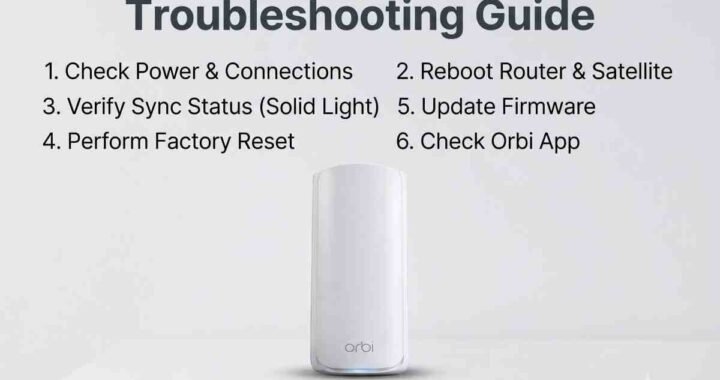
1. Restart the Modem, Router, and Satellites
For a setup with a separate modem, unplug the Orbi router and satellites, then disconnect the modem’s power. Leave the coaxial cable or fiber connection alone.
Restore power in this order:
- Start the modem and wait for its connection indicators to settle.
- Start the Orbi router and wait for it to finish booting.
- Start the satellites and allow them to reconnect.
2. Inspect the Internet Cable and Power Connections
Check the Ethernet cable between the modem and Orbi router’s internet port. Make sure both ends click firmly into place, and replace the cable if its connector is broken or it looks damaged.
Also check power plugs and adapters. Keep the equipment ventilated, and avoid placing it inside a closed cabinet or stacking it against other warm electronics.
3. Improve Satellite Placement
A satellite needs a reliable connection back to the router or another supported mesh node. Putting it in the room with the weakest signal may place it too far away to help.
Move it closer to the router, ideally between the router and the problem area. Keep it elevated and away from large metal objects, thick masonry walls, and appliances.
Check its connection status in the Orbi app or router interface. If the status improves after moving it, test the affected room again before adding another satellite.
4. Check Firmware for Your Exact Model
When investigating “Netgear Orbi WIFI keep disconnecting,” check firmware on both the router and satellites. Use the Orbi app or router interface to check for updates supported by your model.
For manual updates, confirm the exact model number and follow its update instructions. Router and satellite firmware files are not interchangeable, and you should never unplug equipment while an update is running.
5. Troubleshoot Devices That Disconnect Individually
If only one device drops, start there before changing the entire network.
- Restart the affected device.
- Install available operating system and WiFi driver updates.
- Forget the wireless network, then reconnect.
- Test it near the main router.
- Check whether it fails on another WiFi network.
Use a distinctive network name, especially if nearby households use the same default name. After renaming your network, reconnect your devices using the new details.
6. Check Your Internet Provider’s Gateway
Some US households use an ISP gateway that combines a modem, router, and WiFi access point. Running its WiFi alongside Orbi can add unnecessary wireless interference.
Check how the gateway and Orbi are configured. Depending on your setup, gateway bridge mode or Orbi access point mode may be appropriate. Confirm requirements with your provider before changing modes, particularly if the gateway also supports telephone or television services.
When Should You Reset Orbi?
A factory reset is a later troubleshooting step because it erases your configuration. Record your network name, settings, and any custom rules before proceeding.
For “Netgear Orbi WIFI keep disconnecting” problems that survive cable checks, placement changes, and firmware checks, a reset may help identify a configuration issue. Follow the instructions for your exact model and test a basic setup before restoring custom settings.
For more help, follow our Easy steps for Netgear Orbi troubleshooting Guide. If the system repeatedly shows a white light, read our guide to Netgear Orbi blinking white light alongside your model’s light definitions.
Frequently Asked Questions
Why does my Orbi disconnect every few minutes?
Possible causes include an unstable modem connection, poor satellite placement, interference, or equipment restarting. Check whether every device drops together and whether a wired connection also fails.
Why does my Orbi satellite keep going offline?
The satellite may have a weak connection to the router, a power issue, or a firmware problem. Move it closer temporarily and check its connection status before attempting another sync.
Why is Orbi connected but showing no internet?
Your device can connect to Orbi even when the router cannot reach the internet. Check the modem indicators, Ethernet connection, and provider outage status.
Will a factory reset fix repeated disconnections?
It can help with configuration problems, but it cannot repair damaged cables or an ISP outage. Complete the simpler checks first.